⚙️ The Systems Architect: DevOps & Automation
In 2026, the goal is no longer just to write code — it’s to build the systems that run, test, deploy, and monitor that code automatically. DevOps is the discipline of turning manual tasks into self-sustaining systems, and AI is your “Infrastructure-as-Code” partner. It helps you automate backups, deployments, environment setup, monitoring, and recovery so you can focus on building.
🧩 What Is DevOps?
DevOps is the practice of combining development and operations to create systems that are:
- automated
- observable
- reliable
- repeatable
- self-correcting
It includes scripting, CI/CD pipelines, infrastructure management, monitoring, and deployment automation.
🧭 When Should You Automate?
Automate when:
- a task is repeated weekly or daily
- deployments cause stress or downtime
- debugging requires digging through logs manually
- onboarding new developers is slow
- your system breaks in ways you can’t predict
Avoid automation when:
- the process is unclear or unstable
- you don’t have a safe test environment
- the task is rare and low-impact
🔄 Automation vs Autonomy
| Automation | Autonomy |
|---|---|
| Runs predefined steps | Makes decisions based on results |
| Requires human oversight | Can self-correct |
| Script-driven | Agent-driven |
| Ideal for stable workflows | Ideal for dynamic systems |
🧰 Common DevOps Automation Techniques
- Cron Jobs / Scheduled Tasks
- GitHub Actions / CI Pipelines
- Docker-based deployments
- Log monitoring and alerting
- Health checks and uptime monitoring
- Automated backups and restores
- Infrastructure-as-Code (IaC)
⚡ The “Automation Blueprint” Prompt
Use this when you have a manual process you want to turn into a self-sustaining script or pipeline.
Try this prompt:
“I have a manual task: [Describe Task].
- Write a robust [Language] script to automate this.
- Add safety checks to prevent destructive behavior.
- Add logging so I can verify when it last ran successfully.”
🏗️ Automation Missions
Each mission helps you automate a different layer of your system.
🛠️ Mission 1: Scripting & Task Automation
Turn repetitive tasks into “one-click” or “zero-click” operations.
- System Utility Generation — Try this:
“Write a script that monitors [Folder Path] for new files. When a new file appears, [Action].”
- The Plain-English Cron Job — Try this:
“I want this script to run every Tuesday at 2 AM. Show me how to set this up as a cron job or Task Scheduler task.”
🧭 Stuck? Ask AI: “What is the most likely reason this script would fail during a reboot?”
🛠️ Mission 2: CI/CD & Deployment
Move from “copying files over FTP” to professional, automated pipelines.
- The Pipeline Builder — Try this:
“Create a GitHub Actions workflow that runs my Testing Suite on every push to main.”
- Cloud Deployment Guide — Try this:
“I want to host my project on a VPS. Walk me through the 5 essential steps to secure the server and deploy using Docker or Git.”
🧭 Stuck? Ask AI to simulate a failed deployment and walk you through the pipeline’s response.
🛠️ Mission 3: Troubleshooting Infrastructure
When the machine breaks, use AI to diagnose logs and configs.
- Log Interpretation — Try this:
“Here’s an error from my Docker/server logs: [Paste Log]. What are the 3 most common causes and how do I fix them?”
- The Security Audit — Try this:
“Here is my server configuration: [Paste Config]. Identify any open doors or misconfigurations.”
🧭 Stuck? Use The Debugging Detective to trace errors originating in your scripts.
🧪 DevOps with AI
AI excels at:
- generating CI/CD pipelines
- analyzing logs
- proposing infrastructure improvements
- writing Dockerfiles and IaC templates
- simulating failures
- identifying security risks
- monitoring for silent failures
But you must verify:
- scripts won’t cause destructive behavior
- pipelines won’t deploy broken code
- logs are actually being written
- infrastructure changes are safe
⚠️ Beginner Mistakes in DevOps
Avoid these common pitfalls:
- automating a broken process
- skipping safety checks
- deploying without tests
- ignoring logs
- mixing refactoring with deployment changes
- running scripts without version control
🧾 DevOps Checklist
Use this before deploying or automating:
- Does the script handle failure safely?
- Are logs written and readable?
- Are credentials stored securely?
- Does the pipeline run tests automatically?
- Is the deployment reproducible?
- Are rollback steps documented?
- Is monitoring in place?
🤖 From Automation to Autonomy
Automation is just the beginning. We are moving toward Agentic Workflows — systems that:
- monitor themselves
- detect failures
- self-correct
- restart services
- rebalance resources
- notify you only when needed
If you’re ready for this level, explore Advanced Agents.
🚦 The DevOps Loop
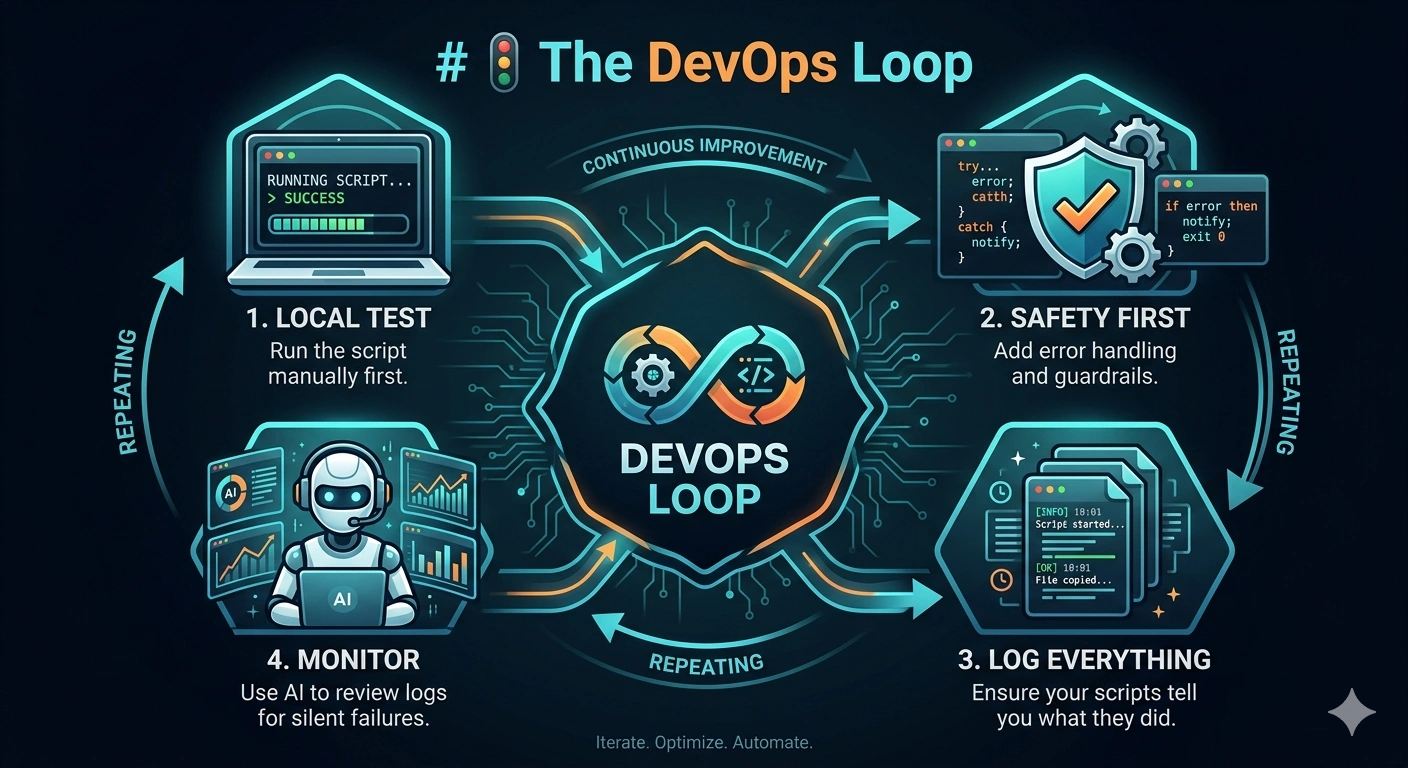
- Local Test: Run the script manually first.
- Safety First: Add error handling and guardrails.
- Log Everything: Ensure your scripts tell you what they did.
- Monitor: Use AI to review logs for silent failures.
💡 More Automations to Try
- Monitor disk space and alert when low
- Rotate logs automatically
- Restart a service if it stops responding
- Generate a daily system health report
- Detect when a process crashes and relaunch it
🧭 Next Steps
- Secure the Build: Clean up your code with Refactoring & Cleanup.
- Find Your Tools: Set up your automation environment in AI Tools for Coding.
- Connect Your Automations: Build visual workflows with the Visual API Builder.
- Level Up Your Prompts: Use the Pair Programming Prompt Pack to collaborate with AI on automation logic.
- Scale Up: Manage multiple systems with The Strategic Partner.
- PowerShell Automation: See the Best AI for PowerShell Scripting guide.
- Quick Script Generation: Try the AI PowerShell Script Generator.
Advanced: Build autonomous local agents that execute scripts, manage folders, and run tasks safely.
Building Local AI Agents & Bots
⚠️ A quick note
Automation can fail “at scale.” A small bug in a manual script is a nuisance; a small bug in an automated deployment can take down your entire system. Always test in a sandbox environment before letting automation touch production.